
Christmas
Christmas Recipe Card Template, Done For You
A Christmas card template with the hard part already finished: your recipe set in pine and gold, typed for you, rendered at 300 dpi and ready to print or frame.
Free preview · No account · 300 dpi · Stripe · Packs never expire
A blank template leaves all the work to you
Search for a Christmas recipe card template and you get a blank page: a border, a holly sprig in one corner, and faint rules where the handwriting is supposed to go. The border was never the hard part. Writing the recipe in a straight line was, and so was fitting a method with nine steps into the space left under the artwork, and getting the type to look like it belongs with the drawing.
reciPeDF works the other way round. You bring the recipe — typed in, pasted from a link, or written by the AI writer — and the template is already finished: its type, colours, paper texture and layout are decided, and your ingredients and steps are set inside them. What you see on screen is the finished card. There is nothing to arrange, nothing to align, and nothing that needs a second app to finish.
That also means the card holds up when the recipe is long. reciPeDF sizes the type to the page, so a Christmas pudding with fourteen steps still lands on one card without the text crowding the decorations.
Three steps
Three steps, about a minute
- Step 1
Bring the recipe
Type it in, paste the link to a recipe you found and press Fetch Recipe to have the name, times, servings, oven temperature, ingredients and steps read off the page, or describe the dish and let the AI writer draft it — with a box to leave out an ingredient or a trait you would rather skip.
- Step 2
Pick a Christmas style
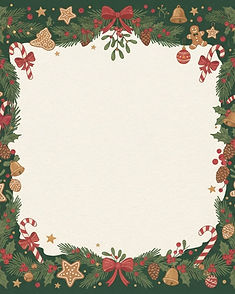
Evergreen garlands, candy canes and gold stars on pine green for the main event; frosted pine and cocoa for the quieter card; midnight gold for the New Year’s Eve menu. You can switch styles after the recipe is in and the type switches with it.
- Step 3
Download and print
Take the 5 × 7 card, or any of the 10 page sizes, as a PDF, JPG and PNG at 300 dpi. The PDF carries its exact page size, so the shop prints what you saw on screen.
Pine, gold stars and cocoa
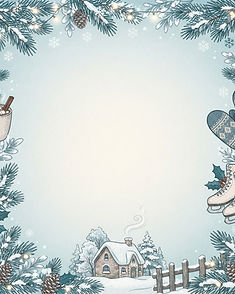
The Christmas page is evergreen garlands, candy canes and gold stars on pine green, with the title set in a script that reads like a signature rather than a headline. Winter is the quieter one: frosted pine, snowflakes and a mug of cocoa, pale enough that a dense ingredient list stays comfortable to read. New Year’s Eve is champagne bubbles and midnight gold, for the card that goes in the box with the December 31 menu.
All three keep the recipe legible first. The decorations sit at the edges and the type sits over them on a soft panel, so the amounts are readable from a step away, which is what a kitchen card has to be.
Samples
One Christmas recipe, two pages
Same recipe, same engine that draws your card. The style changed, and with it the type, the colour and the paper.
Brown Butter Lemon Olive Oil Cake
Christmas style · garlands, candy canes and gold stars
The same cake, Winter style
Frosted pine, snowflakes and cocoa
Three Christmas-adjacent styles
Two for December, one for the last night of it. Swapping between them changes the type, the colours and the paper together.




Framing it, or giving it
A 5 × 7 card is a standard frame size, so a clean card goes straight into a frame for a kitchen wall, and it still fits a recipe box for the person who would rather cook from it. Print at home on card stock, or hand the PDF to a print shop: it declares its exact page size, so nothing is scaled to Letter on the way out, and everything renders at 300 dpi.
Nothing on the page carries your account. The card you print is the card you give, which is the point of a gift like this.
Giving a set rather than a single card is just as easy: make each recipe, download each one, and print them in one run. Keep the size and the style the same across the set and the cards read as a set rather than as five separate attempts — which matters when the whole point is that they arrived together in one envelope.
Christmas recipe card questions
How many Christmas styles are there?
Christmas is one of twenty holiday and seasonal pages, alongside Winter, New Year’s Eve, Thanksgiving, Halloween, Easter, Valentine’s Day, the Fourth of July, St. Patrick’s Day, Mother’s and Father’s Day, birthdays, retirement, graduation, weddings and anniversaries, baby showers, Cinco de Mayo, and a page for each of the four seasons.
Is the preview free?
Yes. You can build the recipe, choose a Christmas style and see the finished card on screen without an account and without paying. The preview carries a watermark and is free forever — style as many recipes as you like.
What does $1 get me?
Your first clean (watermark-free) page, one-time special, with the 300 dpi PDF, JPG and PNG of one card in the size you chose. After that a single clean page is $1.99 per recipe, and larger orders cost less per page.
Can I print it at a print shop?
Yes. Every file renders at 300 dpi and the PDF declares its exact page size, so a shop prints the card you made rather than scaling it to Letter. You can print at home on card stock just as easily.
A Christmas card, finished before the baking starts
Free to try, no account needed. Pay only when you want the clean, watermark-free file.
Free preview · No account · 300 dpi · Stripe · Packs never expire