Recipe card maker
The recipe card maker that does the designing
You bring the recipe. We do layout, type, and print sizing.
No account needed. Free to preview.
The difference
A design tool, or a card that is already designed
| Task | Canvayou design | RecipeDFdone for you |
|---|---|---|
| Your recipe | You type it into a blank canvas. | Type it, or let the AI writer write it from one line. |
| Layout | You place and resize every text box yourself. | Fitted to the page for you, with nothing overlapping. |
| Type and colour | You choose fonts and build the card around them. | Each style already carries its own type and palette. |
| Print sizing | You set the dimensions and remember the bleed. | Nine sizes including 5 × 7, chosen from a list. |
| The file | You export and pick the resolution. | 300 dpi PDF, JPG and PNG in one download. |
Six of the twenty
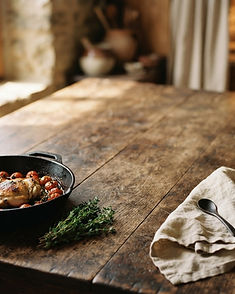
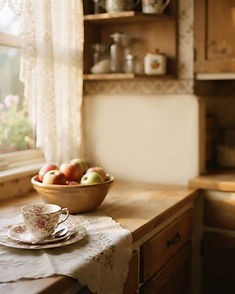
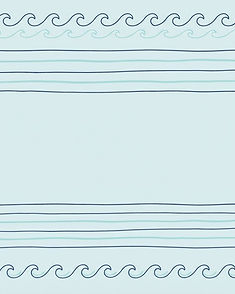
Pick a kitchen, the card follows
Ten photographed kitchens and ten illustrated sets. Choosing one sets the type, the colours and the paper, then your recipe is laid out inside it.


Make my card free
Write the recipe, pick a kitchen, see the finished card. Pay only when you want the clean, watermark-free file.
Make my card freeRecipe card maker questions
Is it free to try?
Yes. You can write a recipe, choose a style and see the finished card on screen without an account and without paying. You only pay when you want the clean file: your first page is $1, one-time special, and after that a single card is $2.99 per recipe.
Do I need Canva, or any other design app?
No. RecipeDF is the whole tool: the layout, the type, the background and the print sizing all happen inside it, so there is nothing to export into and nothing to arrange. You write the recipe, pick one of twenty kitchen styles, and the card is already designed.
What files do I get?
A 300 dpi PDF for printing, a JPG for sharing and a PNG for the highest quality, in the page size you chose — 5 × 7 recipe card, US Letter, A4, A5, Half Letter, 8 × 10 photo, 6 × 9 book page or an 8 × 8 square print.