
Thanksgiving
Thanksgiving Recipe Cards You Can Print
Put the turkey time, the stuffing amounts and Grandma's gravy on a page worth keeping. Type it, pick a Thanksgiving style, print it at 300 dpi.
Free preview · No account · 300 dpi · Stripe · Packs never expire
The card that gets carried to the table
Every Thanksgiving kitchen keeps its recipes in the same three places: a splattered index card, a screenshot nobody can read, and somebody’s memory. The card is the one that works. It is the piece of paper taped inside a cupboard door with the bird time on it, or the one handed to whoever is hosting next year.
reciPeDF takes the recipe you already have and sets it on a Thanksgiving page — pumpkins, wheat sheaves and russet leaves on warm parchment — then renders it as a print-ready PDF, JPG and PNG at 300 dpi. You do not design anything. You put the recipe in, choose the style, and the page arrives already laid out, already sized, and already ready for the printer.
Three steps
Three steps, about a minute
- Step 1
Put the recipe in
Type it straight into the form, paste the link to a recipe you found and press Fetch Recipe to have the name, times, servings, oven temperature, ingredients and steps read in for you, or describe the dish and let the AI writer write it. Nothing is final — every field stays editable.
- Step 2
Pick a Thanksgiving style
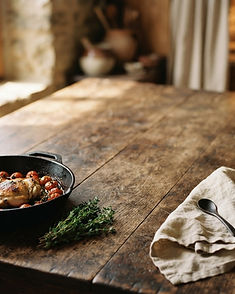
Thanksgiving runs pumpkins and wheat on warm parchment. Fall is maple leaves, apples and cinnamon. Country Kitchen is the worn farmhouse table for a card that stays out all year. Each style carries its own type and colour, so the recipe is set inside the style rather than dropped on top of it.
- Step 3
Download the card
Choose 5 × 7 for the recipe box, or any of the 10 page sizes, then take the PDF, JPG and PNG at 300 dpi. The PDF declares its exact page size, so a print shop prints the card you made instead of guessing at Letter and scaling it.
Twenty holiday pages, one of them is turkey day
Christmas, Thanksgiving, Halloween, Easter, New Year’s Eve, Valentine’s Day, the Fourth of July, St. Patrick’s Day, Mother’s and Father’s Day, birthdays, retirement, graduation, weddings and anniversaries, baby showers, Cinco de Mayo, and a page for each of the four seasons. Tap any one to start a card in it.
Samples
One Thanksgiving recipe, two ways to set it
Both of these were drawn by the same engine that draws your page. The recipe did not change. Only the style did, and the type changed with it.
Grandma’s Sunday Chicken & Dumplings
Thanksgiving style · pumpkins, wheat and russet leaves
The same recipe, Fall style
Maple leaves, apples and cinnamon on parchment
The three that do most of the holiday work
Switching a style changes the type, the colours and the paper together, so a Thanksgiving card and a Christmas card of the same dish feel like two different recipes on purpose.


What comes off the printer
Everything renders at 300 dpi, which is the resolution a print shop asks for. You get three files: a PDF sized for printing, a JPG for sending to the family group chat, and a PNG when you want the most detail. The clean, watermark-free files land in My Recipes the moment you pay for them, and you can download them again later without paying twice.
Before you pay, the preview is free. It carries a watermark and you can make as many as you like — no account is needed at any point.
Printing it at home
Card stock is the difference between a card and a printout. A 65 lb or 80 lb cover stock feeds through most home printers, takes the ink without curling, and gives the page enough body to stand on a stand or lean in a frame. Print one test page on plain paper first to check the card comes out at its exact size, then run the card stock.
The preview you make before paying is the same page you print afterwards, so there is nothing to discover at the printer. If something needs changing, change it and look again — the clean file is the one you have already seen.
Making cards for a crowd
If you are making a card for every cousin, the price is built to fall. Your first clean page is $1, a one-time special. After that a single page is $1.99, and larger orders cost less per page: five pages are $9.55, ten are $17.50, twenty are $30.20 and fifty are $58.80. You type the number you want and see the total before you pay, and the downloads you do not use today stay in your account.
Packs never expire. Nothing on the page carries your account, your name or your email, so the card you print is the card you hand over.
Thanksgiving recipe card questions
What size are Thanksgiving recipe cards?
The card most people print is the 5 × 7, which fits a standard recipe box and a 5 × 7 frame. It is one of 10 page sizes: US Letter and its landscape version, A4, A5, Half Letter, 8 × 10 photo, 6 × 9 book page, 5 × 7 recipe card, 4 × 6 landscape card and an 8 × 8 square print. You choose the size when you create the recipe and can change it again on any download.
Is the preview free?
Yes. You can type the recipe, choose a Thanksgiving style and see the finished page on screen without an account and without paying. That watermarked preview is free forever, and you can make as many as you like before you decide to buy anything.
What does $1 get me?
Your first clean (watermark-free) page, one-time special. It removes the watermark and gives you the 300 dpi PDF, JPG and PNG of one card in the size you chose, ready to print at home or hand to a print shop. After that a single clean page is $1.99 per recipe.
Can I give the card as a gift?
Yes. Print the clean 5 × 7 file at home on card stock or take the PDF to a print shop, which reads its exact page size. 5 × 7 is a standard frame size, so it frames well too, and nothing on the page carries your account, your name or your email.
Your turkey-day cards, printed tonight
No account needed to start. See the finished card first, then pay only when you want the clean file.
Free preview · No account · 300 dpi · Stripe · Packs never expire